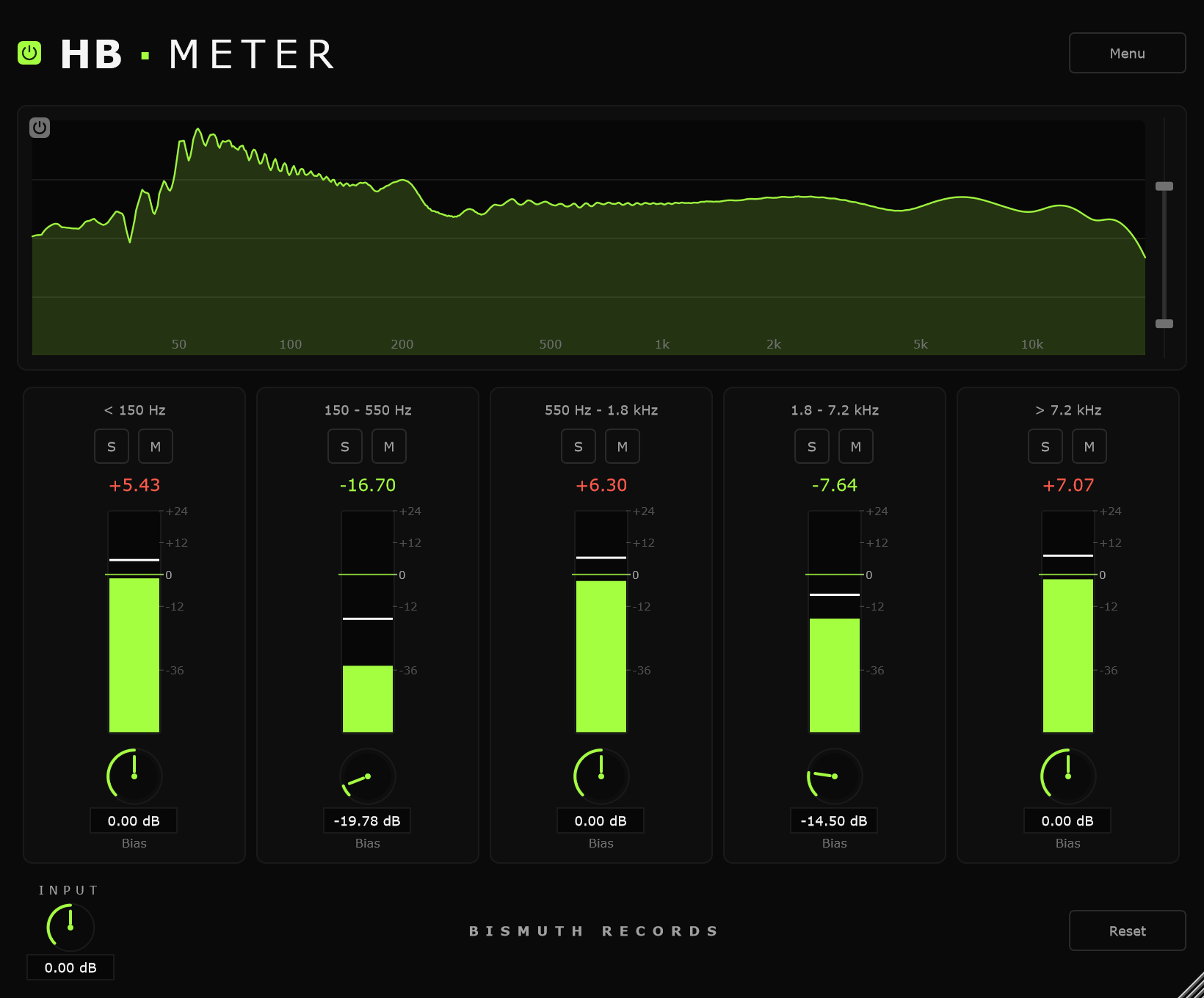
HB Meter (version 1.0.0) is a 5-band metering plugin with clean visuals and precise numerical readouts.
Built as a measurement tool for guiding EQ decisions and spectrally balancing your sounds. The 5-band readout shows you where energy is sitting and how loud each region really is, making it easier to spot imbalances that aren’t always obvious by ear alone.
Equipped with a high-resolution spectrum analyzer above the meters with adjustable display range, per-band bias controls for offsetting individual bands, and solo/mute buttons for isolating specific frequency regions.
HB Meter does not affect the sound at all. It is a pure measurement tool that cannot alter the signal in any way.
Compatibility
- Works in any VST3-compatible DAW on Windows 10+ (64-bit), and as VST3 or AU on macOS.
- Optimized for 48 kHz sessions. Other sample rates will work but may show slight inaccuracies.
- Other versions coming in a future release.
Installation
- Download the zip file and extract it.
- Windows: Move the
HB Meter.vst3folder into your VST3 plugin directory:- Usually located at:
C:\Program Files\Common Files\VST3\
- Usually located at:
- macOS: Move
HB Meter.vst3to/Library/Audio/Plug-Ins/VST3/- and/or
HB Meter.componentto/Library/Audio/Plug-Ins/Components/(for AU).
- and/or
- Open your DAW and rescan plugins. HB Meter will appear in your plugin list under Bismuth Records.
Free to download. Donations appreciated.